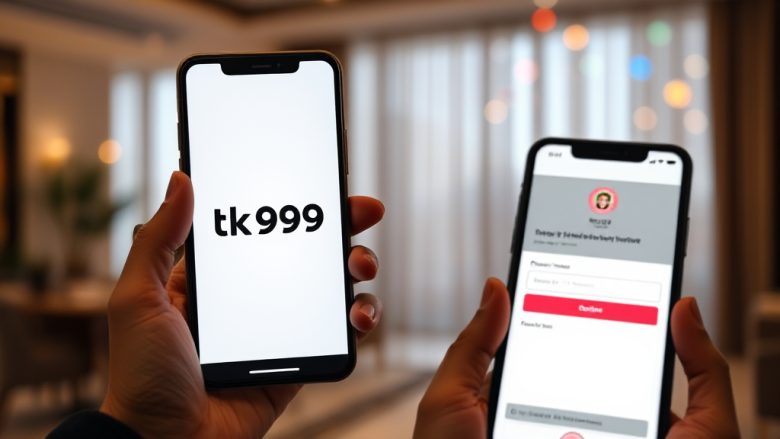
tk999: The Questions Bangladeshi Users Ask Most
If you have spent any time in Bangladeshi gaming forums or chat groups lately, you have probably noticed the same handful of questions about tk999 coming up again and again. New users want to know how to start, existing users want to know how to keep things smooth, and everyone wants a straight answer without wading through marketing language. This piece answers those recurring questions directly, in the order people usually ask them.
The first question is almost always the same: what exactly is tk999? It is an online betting and gaming platform built with Bangladeshi users in mind, offering registration and a downloadable app for accessing its games and markets. It is not a physical venue and it is not a wallet service; it is the platform itself, and everything else follows from that basic fact.
How do I register on tk999?
Registration is the step that unlocks everything else, so it is worth doing carefully rather than quickly. The platform is designed for mobile-first users, which means the sign-up flow is short and works well on a phone browser or the app.
In practice, the process looks like this:
- Open the official site and choose the registration option.
- Provide the details the form asks for, using accurate information.
- Set a password you do not reuse on other sites.
- Confirm your account and log in for the first time.
The most common mistake here is rushing through the form and entering a phone number or name that does not match the person who will actually use the account. Accurate details at sign-up prevent most later verification problems. Take the extra thirty seconds.
Is the tk999 app required, or can I use the website?
You do not strictly need the app to use the platform, but the app is the experience most Bangladeshi users end up preferring. It keeps your session convenient, loads faster on mid-range phones, and avoids the friction of re-entering the site address each time.
If you choose the browser route, that is fine too — just make sure you are on the official domain rather than a lookalike. The app is a convenience, not a requirement. Decide based on how much you plan to use the platform and how much storage your phone can spare.
What should I check before downloading the app?
App downloads are where new users get into trouble most often, and almost always for the same reason: they grab the file from the wrong place. A few checks remove most of that risk.
- Confirm the download link comes from the official tk999 source, not a third-party mirror.
- Check that your phone allows installation from the source you are using, since the app may not come through a standard store.
- Keep enough free storage for the install and future updates.
- Review the permissions the app requests before you approve them.
If a download page asks for unusual information or pushes you toward an unrelated site, stop. Legitimate downloads do not need to detour through unrelated pages.
How does the registration connect to the app?
Your account is the constant; the app is just one way to reach it. Once you have registered, the same credentials work whether you log in through the browser or the downloaded app. That means you should never create a second account because the app “did not recognise” you — that usually signals a login detail issue, not a missing account.
If you genuinely cannot log in, reset the password first before assuming anything more serious. Most lockouts are simple typos or an old password saved in a browser keychain.
What do Bangladeshi users ask about payments and account safety?
Payment questions come second only to registration questions. Users want to know how deposits and withdrawals work, how long they take, and what to do when something looks off. The honest answer is that the specifics depend on the method you choose, so read the platform’s own payment information rather than relying on forum rumours.
On safety, the recurring themes are predictable but important:
- Use a strong, unique password and change it if you suspect anything.
- Never share login details with anyone, including people who claim to be support.
- Log out on shared devices.
- Treat unsolicited messages offering “account help” as suspicious by default.
No legitimate support process requires your password. That single rule prevents the majority of account problems users report.
Why do users get confused between the website and the app?
This confusion is common and understandable. Because the platform offers both a site and a downloadable app, people sometimes assume they are two separate services with separate accounts. They are not. The website and the app are two doors into the same platform.
The practical consequence is simple: if something works on one and not the other, the issue is usually the device or the connection, not your account. Try the other route before assuming the worst. A quick switch between browser and app resolves a surprising share of “it is not working” complaints.
What are the most common mistakes new users make?
After the registration and payment questions, users most often ask what they should avoid. The list is short and consistent.
| Mistake | Why it causes problems |
|---|---|
| Registering with inaccurate details | Complicates verification later |
| Downloading from an unofficial source | Risks malware and fake apps |
| Reusing an old password | Weakens account security |
| Creating duplicate accounts | Confuses login and support |
None of these are dramatic errors, but each one creates avoidable friction. Most support requests trace back to one of these four causes. Avoiding them is easier than fixing them.
Frequently Asked Questions
Is tk999 available to users in Bangladesh?
Yes — the platform is built with Bangladeshi users as its core audience, which is why registration and the downloadable app are structured around mobile use in the region. Always check the platform’s own terms for the current availability details.
Do I need to download the app to register?
No. You can register through the website and add the app later if you want the convenience. Your account works across both.
What should I do if I cannot log in?
Start with a password reset, check that you are using the correct username, and confirm you are on the official domain. If the problem continues, contact official support through the platform itself rather than through links sent by strangers.
Can I use the same account on my phone and my computer?
Yes. The account is tied to your credentials, not to a single device, so you can log in from either as long as you keep your password secure.
The short version
Most of what people ask about tk999 comes down to a few basics: register accurately, download only from official sources, keep your credentials private, and remember that the site and the app are the same account. Get those four things right and the rest of the questions tend to answer themselves.