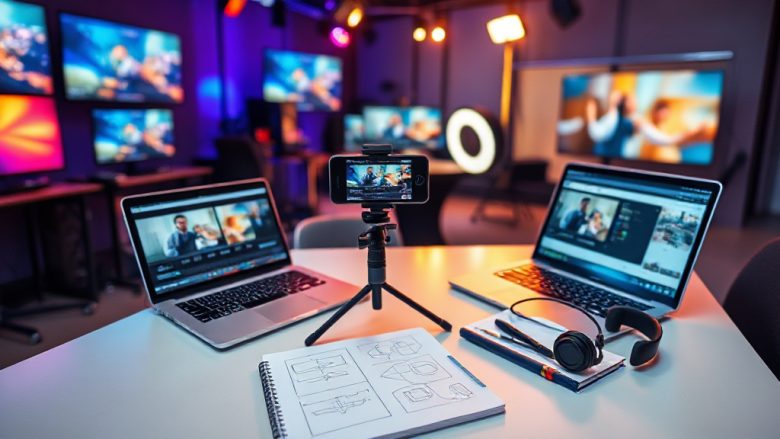
The camera is almost never the problem. Your phone shoots perfectly usable vertical footage. The bottleneck is everything after the record button: trimming dead air, hunting for the right caption style, resizing for three platforms, and then remembering to post it. That’s where most casual creators stall out, and it’s why the search for the best tools for creating short form video usually turns into a folder full of half-tested apps.
The fix isn’t a bigger stack. It’s a smaller one, chosen by job rather than by hype. Below is a stage-by-stage look at the work that actually eats your evenings — capture, editing, captions, repurposing, scheduling — with what to look for at each stage and when you can safely skip it entirely.
Capture: getting clean footage without a rig
Capture is the stage people over-invest in. A clip that’s slightly soft but well-lit and well-framed will outperform a sharp clip shot in a dim kitchen every single time. So the tools here should solve lighting and framing, not resolution.
Your phone’s native camera app is genuinely fine, but two additions change the output more than any gimbal. First, a small clip-on light or a cheap ring light positioned slightly above eye level. Second, a lavalier mic that plugs into your phone — audio quality reads as production value far more than image quality does. If you’re recording talking-head content, a tripod with a phone mount removes the handheld wobble that makes viewers scroll past.
What to look for: a light you can adjust without a manual, a mic that connects without an adapter dongle you’ll lose, and a mount that holds your phone vertically without slipping.
When to skip it: if your content is screen recordings, voiceovers over stock footage, or text-on-background videos, you can skip capture tools almost entirely. Don’t buy a light for a channel that never shows a face.
Editing: the stage that decides whether you post at all
This is where the real time goes. A three-minute edit that feels effortless takes a beginner forty minutes, and that gap is the single biggest reason people stop posting. Your editing tool should be chosen almost entirely on speed of trimming and how quickly you can get to a finished export.
Mobile-first editors win here for most solo creators. The ones built around vertical video let you cut, split, and reorder by dragging with a thumb, add music from a built-in library, and export in under a minute. Desktop editors give you more control over keyframes and colour, but they cost you the ability to edit on the train.
The features that actually matter: frame-accurate trimming (so you can cut on the beat), the ability to mute a clip’s original audio without muting the whole timeline, and a project format that saves your work if the app crashes. Everything else — transitions, effects packs, filters — is decoration you’ll use twice.
What to look for: a trim interface you can operate one-handed, a music library that’s cleared for commercial use, and export presets for 9:16 at 1080p.
When to skip it: if your videos are single-take talking heads under thirty seconds, you may not need an editor at all. Trim the start and end in your camera roll and post it. A dedicated editor becomes worth it the moment you need two clips in one video.
Captions: the highest-return ten minutes in your week
Auto-captions are the closest thing to free reach you’ll get. A large share of viewers watch with sound off, and burned-in captions keep them watching instead of scrolling. This is also the stage where quality varies most between tools, so it’s worth being picky.
Look for automatic transcription that handles your accent and your industry vocabulary without producing nonsense. Test it with a clip that includes a name or a technical term — that’s where cheap transcription falls apart. Then check the styling controls: can you set a font, size, and position once and have it apply to every future video? Re-styling captions on each project is the hidden time sink.
Word-by-word highlighting, where each word lights up as it’s spoken, holds attention well and is now standard in most caption tools. It’s worth having. What isn’t worth having is a caption tool that locks your video into its own editor — you want to export the captioned video, not just publish from inside the app.
What to look for: accurate auto-transcription, saved caption presets, and a clean export that doesn’t add a watermark.
When to skip it: almost never, honestly. If you’re posting any spoken content, captions earn their place. The only exception is purely visual content with no dialogue.
Repurposing: one shoot, several posts
Repurposing tools take one finished video and reformat it for a different aspect ratio, or slice a long recording into several short clips. For a solo creator, this is the difference between posting twice a week and posting daily without shooting more.
Two distinct jobs live here. The first is resizing — taking a horizontal recording and reframing it for vertical without cutting off heads. Tools that track the subject and keep them centred do this automatically; tools that just crop the middle do not. The second is clipping — feeding in a long video and getting back several short segments with captions already applied.
Clipping tools have improved a lot, but treat them as a first pass, not a finished product. They’ll find the segments; you still need to check the cut points and trim the rambling starts. Budget ten minutes of cleanup per clip and you’ll be fine.
What to look for: subject-tracking reframe rather than centre crop, batch export, and the ability to work from a file you already own rather than only from a hosted link.
When to skip it: if you shoot natively in vertical and your videos are already short, repurposing tools add a step without adding output. Skip them until you have a backlog of long-form content worth mining.
Scheduling: the stage that keeps you consistent
Consistency beats intensity, and scheduling is how you get it without posting manually at odd hours. A scheduler lets you batch a week of content in one sitting and then forget about it.
The practical requirement is support for the platforms you actually use, in the formats they accept. Some schedulers handle vertical video well and some still mangle aspect ratios, so test with one post before committing a month of content. Reminder-based tools — where the app pings you and you post manually — are a legitimate middle ground and often free. They keep the native posting benefits without the subscription.
What to look for: direct publishing to your main platforms, a calendar view you can drag posts around in, and a preview that shows how the caption will be truncated.
When to skip it: if you post once a week on a single platform, a scheduler is overhead. Post manually. It becomes worth paying for when you’re managing three or more posts a week across two or more platforms.
Building your minimal stack
The temptation is to sign up for one tool per stage and end up with five subscriptions and five logins. Resist that. Most solo creators need three tools at most: something to edit, something to caption, and something to schedule. Repurposing can fold into editing, and capture is often just your phone plus a light.
Pick your editing tool first, because it dictates everything downstream. If it handles captions natively and exports clean vertical video, you may only need two tools total. Then add a scheduler once posting frequency justifies it. Add repurposing only when you have long-form content to cut down.
Here’s a quick way to map the decision:
- Editing: choose a mobile-first vertical editor if you post often; a desktop editor if you need precise control. This is your anchor tool.
- Captions: choose a tool with accurate transcription and saved presets, or use your editor’s built-in captions if they’re good enough.
- Repurposing: add only if you have long videos to mine; prioritise subject-tracking reframe.
- Scheduling: add when you’re posting three or more times a week; a free reminder tool is a valid stopgap.
- Capture: a clip-on light and a lavalier mic cover most needs; skip entirely for screen-based content.
Start with the stage that’s currently costing you the most time, fix that one, and leave the rest alone for a month. You’ll learn more from shipping ten videos with a two-tool stack than from testing ten apps and posting none. The best tools for creating short form video are the ones you’ll actually open on a Tuesday night when you’d rather be doing anything else.