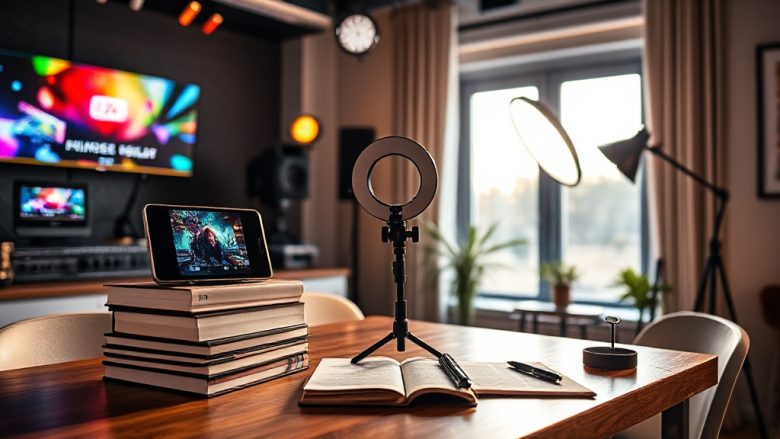
You’re holding your phone. The camera app is open. You’ve watched a hundred videos about how to start a YouTube channel as a beginner, and you still haven’t hit record. That’s the real starting point for almost everyone. Not the gear, not the logo, not the perfect channel name. The gap between wanting to publish and actually publishing.
I started my first channel with a cracked phone screen and a bedroom that echoed. It took me three weeks to upload a single video because I kept waiting for conditions to improve. They never did. What finally worked was treating the first video as a test, not a debut. This guide walks you through the same sequence I now give to first-timers, from picking a lane to surviving your first thirty days.
Pick a Niche You Can Actually Sustain
The word “niche” scares people because it sounds like a cage. It isn’t. A niche is just the promise your channel makes to a viewer. If someone watches one of your videos, what can they reasonably expect from the next one?
For a beginner, the safest niche sits at the intersection of three things: something you already know a bit about, something you can film without buying equipment, and something you won’t resent talking about in six months. That last one matters most. Plenty of people pick a topic because it looks profitable, then quit at video twelve because they’re bored.
Write down five topics you could talk about for ten minutes without notes. Cross out anything that requires travel, expensive gear, or another person’s permission. What’s left is your shortlist. Now check whether anyone is already making videos in that space. You want proof of an audience, not an empty room. If you find a handful of channels with modest subscriber counts and steady views, that’s a good sign. It means the topic works and there’s room for another voice.
Don’t overthink the name. Something clear and easy to spell beats something clever. You can change it later once you know what the channel actually is.
Set Up Your Channel Without Getting Lost in Settings
Creating the channel itself takes about ten minutes. The trap is the next ten hours, spent fiddling with banners and thumbnails before a single video exists.
Here’s the minimum viable setup. Create the channel under your existing account, or make a brand account if you want to keep your personal watch history separate. Upload a profile picture that’s recognisable at small sizes, which usually means a simple shape or your face rather than a detailed illustration. Add a banner, but keep it plain. Write a channel description in two or three sentences that say who the videos are for and what they’ll get.
Then stop. Seriously. The banner and the about section don’t bring viewers. Videos do. You can polish everything once you understand what your channel is actually about, which you won’t know until you’ve made five or six videos.
One setting worth changing early: your default upload visibility. Set it to private so nothing goes live by accident while you’re still learning the upload flow. You can flip any video to public when it’s ready.
Film Your First Video With What You Already Own
Your phone is enough. Modern phone cameras handle a well-lit indoor shot better than most people expect. The two things that actually ruin beginner footage are bad audio and bad lighting, and both are fixable for almost nothing.
For light, sit facing a window. Not with the window behind you, which turns you into a silhouette, but facing it. If it’s dark outside, a cheap desk lamp pointed at your face from slightly off-centre works. Avoid the ceiling light directly overhead, which casts shadows under your eyes and makes everyone look tired.
For audio, get closer to the microphone than feels natural. Your phone’s mic is fine if you’re within a metre or two and the room isn’t echoing. Soft furnishings, curtains, and a rug all help. If you’re in a bare room, film with a blanket behind you or record in a wardrobe. It sounds ridiculous and it works.
Now the hard part: what do you say? Skip the elaborate intro. Most beginners spend forty seconds introducing themselves before getting to the point, and viewers leave. Start with the thing the video is about. You can introduce yourself in the last twenty seconds if you want to at all.
Write a rough outline, not a script. Three or four bullet points. Then talk through them. You’ll stumble. That’s fine. Stumbling reads as human, and humans are more watchable than people reciting paragraphs. If you fluff a sentence, keep going and fix it later or leave it in.
Edit Just Enough and No More
You do not need to learn professional editing software to start. Free mobile editors and the built-in tools on most computers will cut clips, trim silence, and add a title card. That’s all you need for video one.
The goal of your first edit is to remove dead air and mistakes, not to make something cinematic. Cut the long pauses at the start. Cut the bit where you repeated yourself. Cut the ten seconds at the end where you’re reaching for your phone to stop recording. That’s it.
Resist the urge to add background music over your entire voice track. Music that’s too loud or slightly off-tempo is worse than no music. If you want music, keep it low and only under sections where you’re not talking.
One practical tip: export at 1080p. Higher resolutions create bigger files and longer uploads, and the difference on a phone screen is minimal. You can move to 4K once you’ve got a reason to.
Upload, Title, and Thumbnail: The Three Decisions That Matter
The upload screen looks intimidating. Most of it doesn’t matter for your first video. Three fields do.
Your title is the first thing anyone reads. Write it the way a person would search for the answer your video gives. If your video explains how to fix a squeaky door, the title should say that, not something vague and poetic. Front-load the important words, because long titles get cut off in some places.
Your thumbnail is the second thing they read. You don’t need design skills. You need a clear image and three or four large words. Faces work well. So do simple before-and-after shots. What doesn’t work is a busy screenshot with tiny text that’s unreadable on a phone. Make it, look at it on your actual phone at thumbnail size, and adjust until you can read it at a glance.
Your description matters less than people think, but write two or three sentences summarising the video anyway. It helps the platform understand what the video is about, and it gives anyone who reads it a reason to stay.
Tags are mostly noise for new channels. Add a handful if you like, but don’t agonise. They won’t rescue a weak title or thumbnail.
Your First Thirty Days: What to Expect and What to Ignore
Here’s the part nobody tells beginners. Your first video will probably get almost no views. Not because it’s bad, but because nobody knows it exists yet. This is normal and it is not a signal to quit.
The first month is about building the habit, not chasing numbers. Aim to publish something every week, even if it’s rough. Four videos in a month teaches you more than four months of planning one perfect video.
Spend fifteen minutes after each upload doing something useful. Reply to any comments, even the one from your mum. Watch your own video back with the sound off and see whether the visuals hold attention. Note one thing you’d do differently next time, then do it.
Ignore subscriber counts for now. They move slowly at the start and staring at them is a fast route to giving up. Instead, track whether you finished the video, whether you said what you meant to say, and whether uploading felt slightly easier than last time.
A few mistakes stall new channels more than anything else. Waiting for better equipment before publishing. Changing your topic every week so no viewer knows what to expect. Deleting videos that didn’t perform, which erases the evidence you need to improve. Comparing your video three to someone else’s video three hundred. All of these are avoidable if you decide now that the first thirty days are practice, not judgement.
Somewhere around video eight or ten, something shifts. You stop reading from notes. You know where the camera is without checking. You have a rough sense of what your viewers want because a few of them have told you. That’s the point where the channel starts to feel real, and it comes from publishing, not from preparing.
So the answer to that question you were asking at the start, phone in hand, isn’t a better plan. It’s a first upload. Pick the topic, film it badly, cut the pauses, and put it out. Then do it again next week. That’s how every channel you admire actually began.